
Best Buy Router Online in India Products online india
Explore our real-time updated product directory index curated for performance, verified star metrics, and historical consumer trust rankings.
Verified Deal Selections
22 Items Indexed


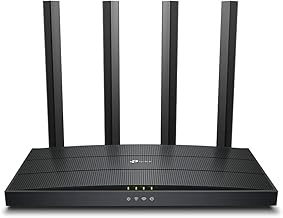


Choose the Right Router for Your Network
A router is the central networking device that connects your internet connection to phones, laptops, televisions, smart home devices, gaming systems, and other connected equipment. When you buy a router online in India, it is important to look beyond the appearance and consider compatibility, wireless standards, coverage, speed, ports, security features, and the number of devices you expect to connect.
Different households and workplaces have different networking requirements. A compact router can suit a smaller home with moderate internet usage, while a more capable dual-band or modern Wi-Fi router can provide better flexibility when several devices operate simultaneously. For larger spaces, you may also want to consider a router designed to work with additional access points or compatible mesh networking equipment.
Types of Routers to Consider
Routers are available in several configurations, so understanding the main categories can simplify your search. A standard wireless router is suitable for many homes and provides Wi-Fi connectivity alongside wired network ports. Dual-band routers can operate across two wireless frequency bands, helping compatible devices use a suitable connection according to their requirements.
Some networking setups require a modem-router combination, while others use a separate modem or broadband termination device with a dedicated router. Before ordering, check what equipment your internet service provider requires. Compatibility can depend on the type of broadband connection, available ports, and configuration supported by your service.
Single-Band and Dual-Band Routers
Single-band routers generally operate on the 2.4 GHz band, which can offer useful range and broad device compatibility. Dual-band routers add a 5 GHz band, which can provide higher wireless performance under suitable conditions and may experience less congestion in some environments. The practical result depends on your devices, walls, interference, router placement, and internet plan.
Modern Wi-Fi Routers
Newer Wi-Fi standards can offer improvements in capacity, efficiency, responsiveness, and support for multiple connected devices. If your household contains several smartphones, computers, smart TVs, cameras, speakers, or other connected products, choosing a router with appropriate modern wireless capabilities can help create a more suitable network.
Important Router Features
Router specifications can look complicated, but a few features deserve particular attention. Start with the supported Wi-Fi standard and advertised wireless speed. Remember that the headline speed is a theoretical maximum rather than a guarantee of the speed you will receive on every device.
Also check the number and type of Ethernet ports if you plan to connect desktop computers, televisions, gaming consoles, printers, or other wired devices. Gigabit Ethernet can be useful for higher-speed wired networking. Router security features, parental controls, guest networking, quality-of-service options, and mobile or web-based management can also affect everyday convenience.
Router Speed and Internet Plan Compatibility
Match your router with the speed and type of internet service you use. A very basic router may not make full use of a faster broadband connection, while purchasing an unnecessarily advanced model may not provide a meaningful benefit for a modest internet plan. Consider your current requirements as well as possible future upgrades.
Keep in mind that Wi-Fi performance changes with distance, walls, interference, device capability, network traffic, and router placement. A router placed in a central and reasonably open location can often provide more consistent coverage than one hidden inside a cabinet or positioned at the edge of the property.
Router for Home, Office, Gaming and Streaming
For everyday home use, prioritise reliable coverage, easy setup, suitable wireless performance, and enough ports for your connected devices. Remote workers may benefit from dependable connections and features that help manage multiple devices. Streaming households can look for suitable bandwidth and stable wireless performance, particularly when several users watch or download content at the same time.
Gaming setups can benefit from low-latency networking, wired Ethernet connectivity, traffic-management features, and appropriate wireless capabilities. However, the router cannot remove every cause of latency because your broadband connection, server distance, network congestion, and game infrastructure also influence response times.
How to Choose a Router Online in India
Before buying, make a simple checklist. Identify your broadband connection, required internet speed, approximate coverage area, number of connected devices, preferred wired connections, and important features. Then compare compatible routers by their specifications rather than relying only on advertised speed.
Indian homes can vary considerably in size and construction, so advertised coverage should be treated as a general reference. Thick walls, multiple floors, reinforced concrete, and nearby wireless networks can reduce practical coverage. If one router cannot provide the desired coverage, a compatible mesh or additional networking solution may be worth considering.
Shop Routers for Your Connectivity Needs
Choosing a router becomes easier when you focus on the way your network will actually be used. Compare wireless standards, bands, Ethernet ports, security features, management options, and compatibility with your internet service before making a purchase. Whether you need a router for browsing and online classes or a more capable solution for a busy connected home, selecting specifications that match your requirements can help you build a dependable network.
Explore the router category to compare suitable networking options and choose a model that fits your connectivity needs, connected devices, space, and broadband setup in India.
Introduction
Find the right router for your home, office, study area, or small business with a practical range of networking options. Whether you need a dependable Wi-Fi router for everyday browsing or a higher-performance model for streaming, gaming, remote work, and multiple connected devices, choosing the right specifications can make a noticeable difference to your network experience.
Frequently Asked Questions
What is a router used for?
A router distributes an internet connection to multiple devices and creates a local network. It can provide Wi-Fi connectivity and, depending on the model, wired Ethernet connections.
Which router is suitable for home use?
The suitable router depends on your broadband connection, internet speed, home size, number of devices, and required features. Compare these factors before choosing a model.
Is a dual-band router better for multiple devices?
A dual-band router can provide access to both 2.4 GHz and 5 GHz wireless bands. This can offer greater flexibility for homes with several compatible devices, although actual performance depends on the network environment.
Can a router improve internet speed?
A router cannot increase the speed supplied by your internet service. However, replacing an outdated or unsuitable router can help your devices make better use of an available broadband connection.
How many devices can connect to a router?
The practical number varies by router design, device activity, wireless standard, and network conditions. Check the manufacturer's specifications and consider your expected simultaneous usage.
Should I use Wi-Fi or Ethernet?
Wi-Fi provides convenient wireless connectivity, while Ethernet can offer a stable wired connection for compatible devices. Computers, gaming consoles, televisions, and other stationary equipment can benefit from wired networking where practical.
Where should I place my Wi-Fi router?
Place the router in a relatively central, elevated and open location when possible. Avoid enclosing it in cabinets or positioning it behind large obstacles, as these conditions can affect wireless coverage.
Frequently Asked Questions (FAQ)
❓ How are these Buy Router Online in India options ranked?
Our custom data engine continuously scans product entries to verify high-performing items that carry a consistent rating above 4.2 stars, filtering out unreliable listings or items with artificial review jumps.
❓ Does clicking outbound links increase my checkout price?
Absolutely not. All generated product buttons use standard, secure commercial tracking tags. The item cost values reflect the official live marketplace catalog pricing identically.
❓ How often are the pricing deals updated on this page?
Our data tables utilize automated cache transients refreshed continuously throughout the week to fetch the freshest inventory nodes, live pricing metrics, and tracking structures.
❓ Are these products backed by standard consumer warranties?
Yes. Because our directory routes you directly to the verified official listing pages on Amazon, your purchases qualify for complete merchant protections, returns, and original brand manufacturing warranties.